MCP Server Without an API Key: How Logged-In Sessions, Cookies and Bearer Tokens Work (Safely)
How an MCP server can use a website without an API key: cookie sessions vs bearer tokens vs CSRF headers, why requests should run inside your browser, and the safety rules Weft follows so credentials never reach your AI.
"MCP server without an API key" sounds like a hack. It isn't, if it's done right: you already have a perfectly valid credential for the site — your logged-in browser session. The engineering question is how to let an AI use that session without ever handing the AI (or any other process) the credential itself.
This post explains how websites actually authenticate their own API calls, how Weft reuses each kind safely, and where the line is.
How websites authenticate their own API calls
When a web app loads your data, its JavaScript calls an API on the same site. That call is authenticated in one of three ways — often a mix:
- Session cookies. After you log in, the server sets a cookie (often
HttpOnly, so page JavaScript can't even read it). The browser attaches it to every request to that site automatically. Medium, GitHub and most classic web apps work this way. - Bearer tokens. The app keeps an access token (in memory or
localStorage) and its JavaScript addsAuthorization: Bearer …to each request. Common in single-page apps built on OAuth/OIDC. - CSRF and custom headers. Cookie-based apps often also require a header such as
X-CSRF-Tokenon state-changing requests, so another site can't forge them. Some APIs usex-api-key-style headers.
The wrong way: copy the cookie into your MCP server
The quick hack is to copy your session cookie or token out of DevTools into an .env file and have a script send it. It works until it doesn't: the credential now lives in plain text on disk, in your shell history, maybe in a repo; it expires and silently breaks; and any process that can read the file can impersonate you. If an AI agent can run shell commands, it can read it too.
The right way: run requests inside the browser
Weft never takes the session out of the browser. When your AI calls call_endpoint, the Weft app asks the extension to perform the request inside your open tab of that site, using fetch with credentials: "include". The browser attaches the session cookies itself — the same way it does when you click around — and only the response travels back to your AI.
That handles cookie-based sites completely. For sites that authenticate with headers, the extension does one more thing:
- While a site is being captured, it notices auth-like headers the site's own JavaScript sends —
Authorization,X-CSRF-Token/X-XSRF-Token,x-…-token, API-key headers. - It keeps the latest value of each in
chrome.storage.session: in memory, readable only by the extension, cleared when the browser closes. - When your AI makes a call, it adds those headers to the request inside the tab — for that same site only. A header your AI passes explicitly wins.
- The Weft app and your AI only ever see the header names (
get_auth_context→authHeaderNames), never the values.
What the AI can and can't see
- Can see: which sites you converted, their endpoints (method, path template, query params, status codes), cookie names, storage keys, auth header names, and the JSON responses to calls it makes.
- Can't see: cookie values, token values, your password, or any site you didn't convert.
- Can't do silently: anything other than a
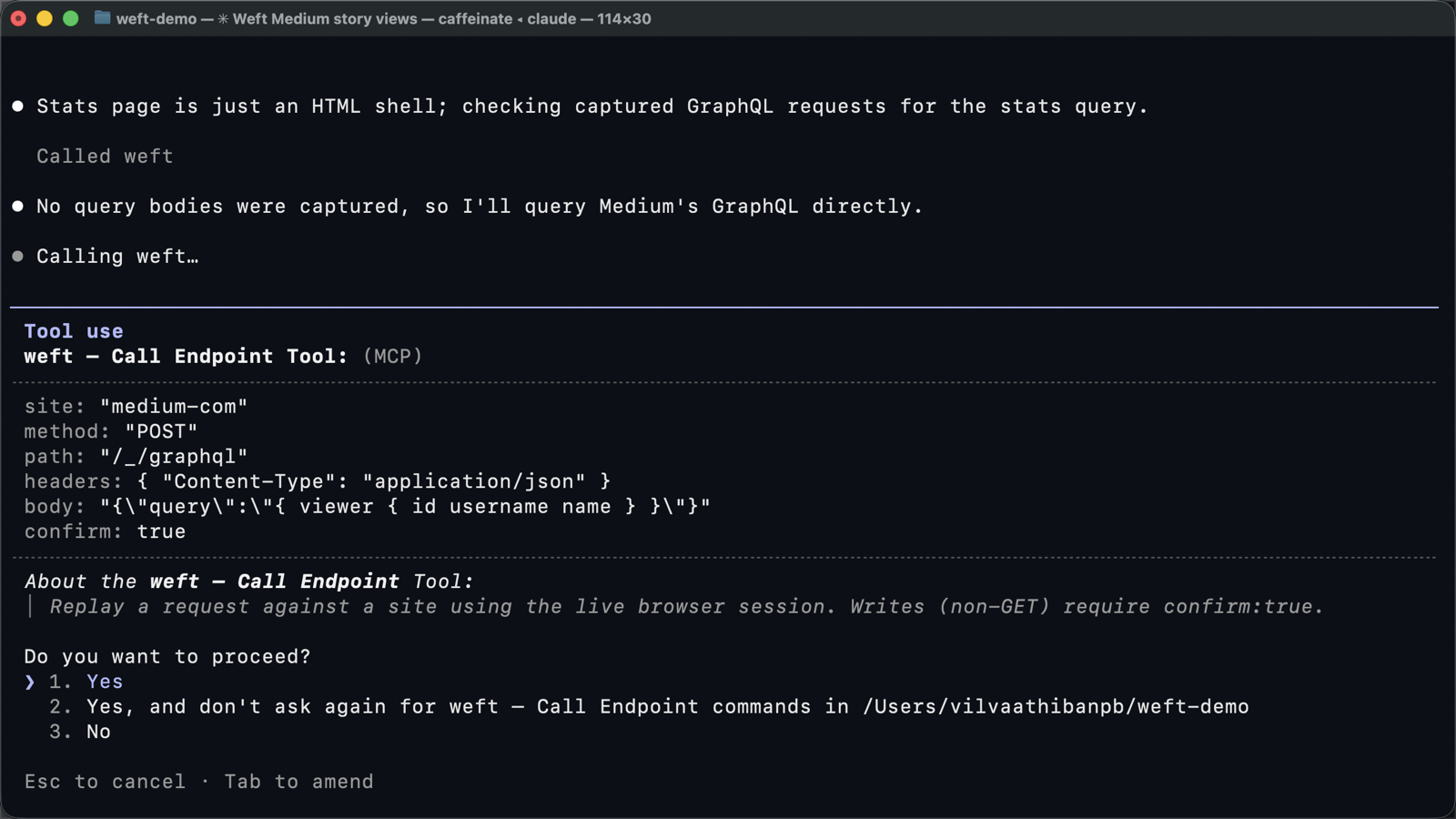
GET. Non-GETcalls are refused unless the call includesconfirm: true— and clients like Claude Code show that call, with its arguments, for your approval.
When a token expires
Cookie sessions usually last days or weeks, and the browser refreshes them as you use the site. Bearer tokens are often short-lived. If calls start returning 401, reload the site's tab while it's being captured (or click Re-capture in Weft) so the extension sees a fresh token; after a browser restart, use the site once again. If your browser session itself has expired, Weft marks the site Needs login — click Refresh & log in.
Where the line is
Using your own session for your own data, at human scale, is the same thing your browser does. Weft deliberately doesn't go further: it won't bypass CAPTCHAs, bot detection, request signing or DRM — sites like that are marked Not possible. And each site's terms still apply. Convert what you need, pause what you don't, and treat a converted site like an API key you've given your AI.
The full threat model is in Weft's SECURITY.md; the setup guide is How to turn any website into an MCP server.
Frequently asked questions
Can an MCP server use a website without an API key?
Yes, by reusing your logged-in browser session. Weft runs each request inside your browser tab, so the site's own cookies and auth headers are applied there and never handed to the AI.
Does Weft work with sites that use Authorization: Bearer tokens?
Yes. The extension keeps the latest auth header values in browser memory while capturing and adds them to requests inside the tab. Only the header names reach the Weft app and your AI.
Is it safe to give an AI access to my logged-in websites?
It's as safe as the boundaries around it. With Weft, credential values stay in the browser, only sites you convert are reachable, every non-GET call needs explicit confirmation, and everything runs locally on 127.0.0.1.