WhatsApp link generator & QR code maker on your iPhone
Chat Link & QR Code Maker turns any phone number into a wa.me click-to-chat link with an optional pre-written message, renders it as a QR code you can save to Photos and print, and pads any photo onto a square so your whole profile picture fits inside the circle. It is a one-time purchase, needs no account, and never uploads your number or your photos.


- Price
- One-time purchase, no ads, no account
- Platform
- iPhone, iOS 15.1 or later
- Makes
- wa.me link · PNG QR code · 1024×1024 square photo
- Privacy
- Runs offline. Nothing leaves the phone.
What you get: a chat link, a QR code and a profile picture that fits
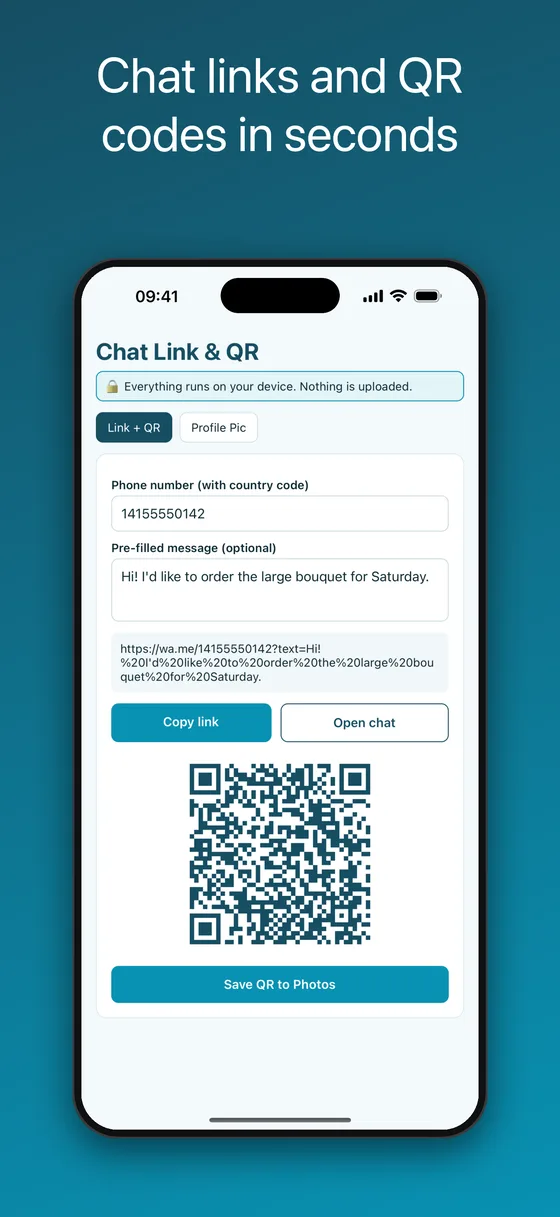
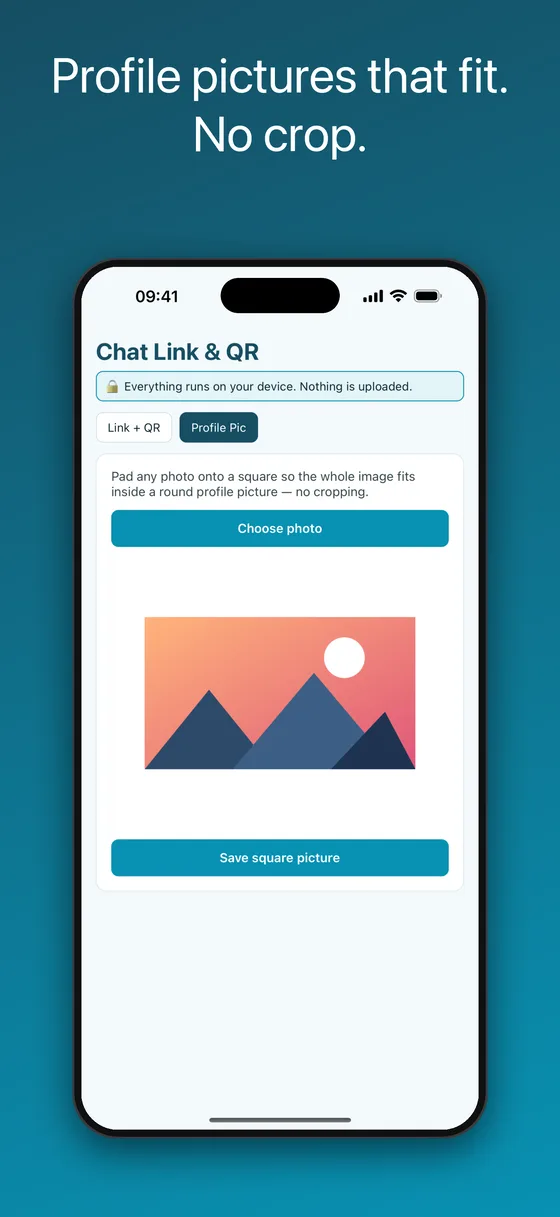
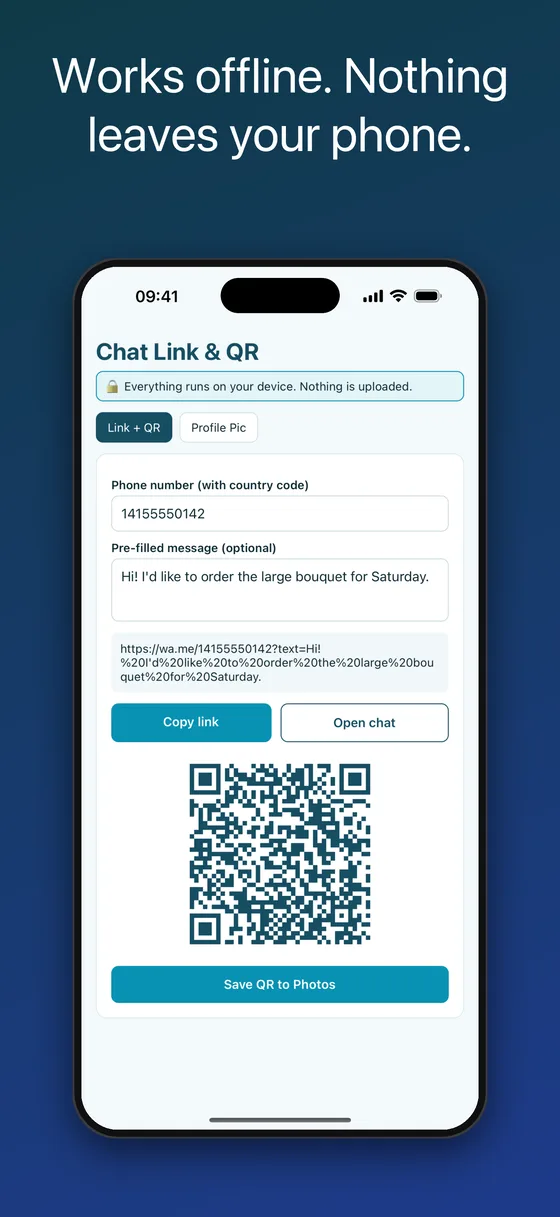
How to create a WhatsApp link with a pre-filled message and a QR code
A click-to-chat link opens a conversation with a number the other person has not saved. This is the 30-second version; the app does the URL encoding for you so the message survives spaces, emoji and line breaks.
- Type the phone number with its country codeUse digits only, for example 14155550142 for a US number or 4915112345678 for Germany. Leave out the plus sign, spaces and leading zeros; the app strips them anyway.
- Add the message people should send you (optional)Something like “Hi! I would like to book a table for Saturday”. The app builds https://wa.me/<number>?text=<message> with correct encoding.
- Copy the link or open the chat to test itCopy link puts it on the clipboard for your Instagram bio, email signature, invoice or ad. Open chat hands it to iOS so you can check that it opens the right conversation.
- Save the QR code to Photos and print itThe QR code is saved at full resolution as a PNG. Put it on a menu, a counter card, a flyer, a business card, a shop window or a receipt. Anyone who points their camera at it lands in your chat.
Why people install a link maker instead of typing wa.me by hand
🔗Correct wa.me links every time
The message is URL-encoded properly, so apostrophes, emoji and line breaks do not break the link. Links use the standard wa.me format that WhatsApp itself documents.
📇Message without saving the number
Tap the link and the chat opens, even if neither side has the other in their contacts. Ideal for one-off customer enquiries and for keeping a personal number private.
🖨️QR codes you can actually print
Saved to Photos as a crisp PNG at full resolution, without a watermark, ready for a poster, menu, flyer, sticker or business card.
🖼️Profile picture without the crop
The built-in crop tool cuts off heads and logos. This pads any photo onto a white square, so the whole image sits inside the round profile picture.
✈️Works offline, nothing uploaded
Links, QR codes and photos are generated on the phone. There is no server, no account and no analytics, so the numbers you type stay yours.
🔓One-time purchase
Pay once and everything is unlocked, with no watermark on the QR code or the picture, no subscription and no in-app purchases.
Questions this app answers
How do I message someone on WhatsApp without saving their number?
Build a wa.me link for their number and tap Open chat. WhatsApp opens the conversation directly, no contact card needed. The same trick lets customers message you without saving your number first.
What is a wa.me link and how do I make one with a message?
wa.me is the short click-to-chat domain. The format is https://wa.me/<number in international format>?text=<URL-encoded message>. The app fills in both parts and shows the finished link so you can copy it.
How do I make a WhatsApp QR code for my business?
Create the link with a greeting such as “Hi, I am interested in…”, then tap Save QR to Photos. Print it on the counter card or menu. Scanning it opens a pre-written chat to your business number.
How do I set a full-size WhatsApp profile picture without cropping?
Open the Profile Pic tab, choose the photo, and save the square version to Photos. Set that square image as your profile photo; because the picture is already square, nothing is cut off.
Can I put a WhatsApp link in my Instagram bio, email signature or invoice?
Yes. Copy the link and paste it anywhere a URL works: Instagram or TikTok bio, a Linktree, an email signature, an invoice footer, a Google Business profile or a Facebook ad.
Chat Link & QR Code Maker vs online wa.me generators
Most “free WhatsApp link generator” websites are fine for a single link, but the number goes to their server, the QR download is often low-resolution or watermarked, and none of them fix profile pictures.
| Chat Link & QR Code Maker | Online generator websites | Built-in WhatsApp options | |
|---|---|---|---|
| Works offline | ✓ Yes | ✗ Needs a browser and a connection | ✓ Yes |
| Pre-filled message | ✓ Yes, encoded for you | ✓ Usually | Manual URL typing |
| Printable QR code | ✓ Full-resolution PNG, no watermark | Often watermarked or small | Business app only, no message text |
| Your number stays private | ✓ Never leaves the phone | ✗ Sent to the website | ✓ Yes |
| Profile picture without crop | ✓ Yes | ✗ No | ✗ Crop tool only |
| Price | One-time purchase | Free with ads, or paid tiers | Free |
Frequently asked questions
Is there a subscription?
No. It is a one-time purchase. Every feature is included, with no watermark, no account, no subscription and no in-app purchases. It is an independent utility built by one developer.
Does the link work for WhatsApp Business numbers?
Yes. wa.me links open the chat for any number registered on WhatsApp or WhatsApp Business, as long as the number is entered in international format.
Which number format should I use?
Country code followed by the number, digits only. Drop the plus sign, spaces, dashes, brackets and any leading zero from the local part. Example: 447700900123 for a UK mobile.
Why does my pre-filled message look strange in the link?
That is URL encoding: spaces become %20 and special characters become codes so the link survives being pasted anywhere. WhatsApp decodes it back into normal text when the chat opens.
How large is the saved QR code, and can I print it?
The QR code is captured at the screen’s full pixel density and saved as a PNG to Photos. It prints cleanly on business cards, A4 posters and counter cards. For very large signage, print at 300 dpi and keep the white margin.
Does the app access my whole photo library?
No. It asks only for add-only access to Photos when saving a QR code or a square picture. Choosing a photo uses the system picker, which shares just the image you select.
Why does my profile photo get cropped in the first place?
Profile pictures are stored as squares and shown as circles. A landscape or portrait photo is forced to fill the square, so the edges are cut. Padding the photo onto a white square keeps the full image inside the circle.
Is there an Android version?
Yes. Chat Link & QR Code Maker is on Google Play as well as the App Store; use the Google Play badge at the top of this page.
Is this an official WhatsApp app?
No. Chat Link & QR Code Maker is an independent utility and is not affiliated with, endorsed by or connected to WhatsApp LLC or Meta Platforms, Inc. It simply builds standard wa.me links.
Step-by-step guides
More on-device apps for chat exports and voice notes
Chat Link & QR Code Maker is an independent utility. It is not affiliated with, endorsed by, sponsored by, or in any way officially connected with WhatsApp LLC or Meta Platforms, Inc. WhatsApp is a registered trademark of Meta Platforms, Inc. The app creates standard wa.me links that any messaging client can open.