A fake police call app for kids that stays gentle
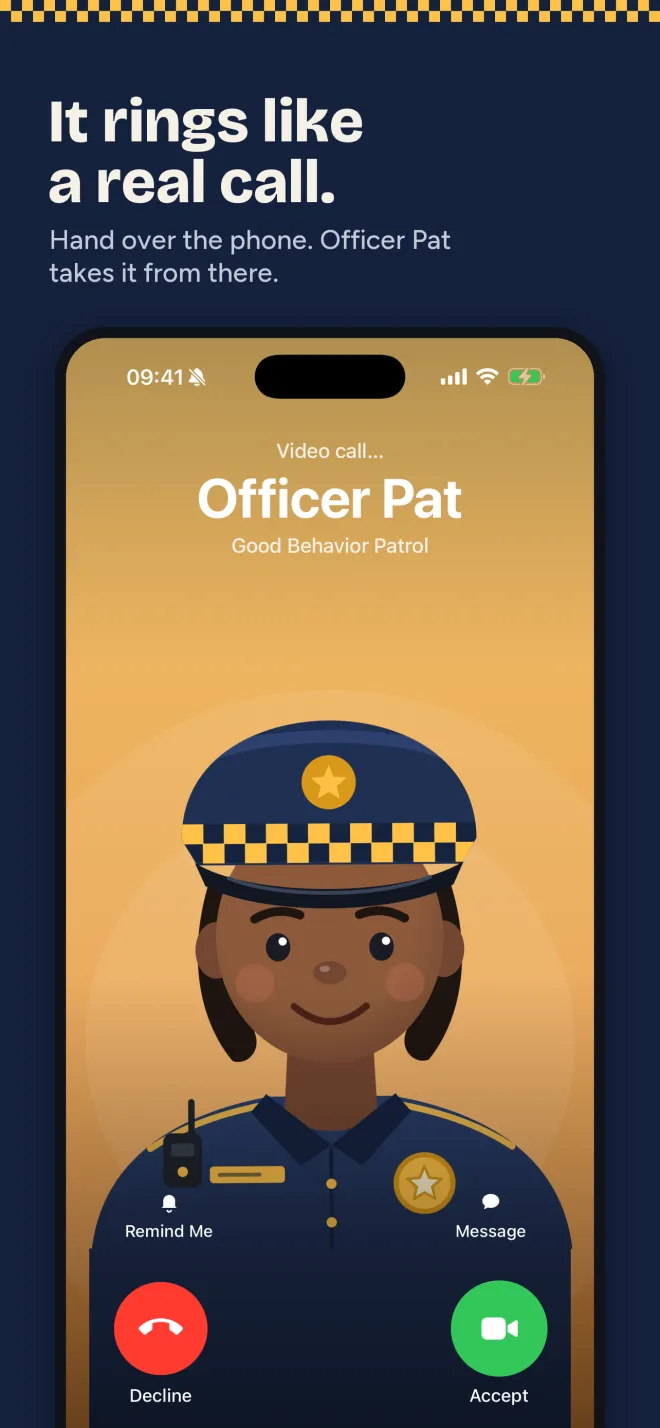
Good Behavior Police Call is a free iPhone app that plays a pretend video or voice call from a friendly officer, Officer Pat or Officer Sam, to help with bedtime, brushing teeth, dinner, tidying up and other daily routines. You pick the call, read the whole script first, and hand over the phone; it rings like a real call and the officer asks for one small thing, leaving real pauses for your child to answer. There are no sirens, no threats and no talk of trouble, and two praise calls ring when things go right. The app never places a real phone call and the calls work offline. Bedtime and Great day are free forever; one purchase unlocks the rest.

- Price
- Free download. One-time unlock (US $4.99)
- Calls
- 13: 11 routine nudges and 2 praise calls
- Free calls
- Bedtime and Great day, forever
- Languages
- 9, every call fully voiced
Screenshots
How to set up a pretend police call for your child
It takes about a minute. You stay in charge the whole time: you choose the call, you can read it first, and you get the last word afterwards.
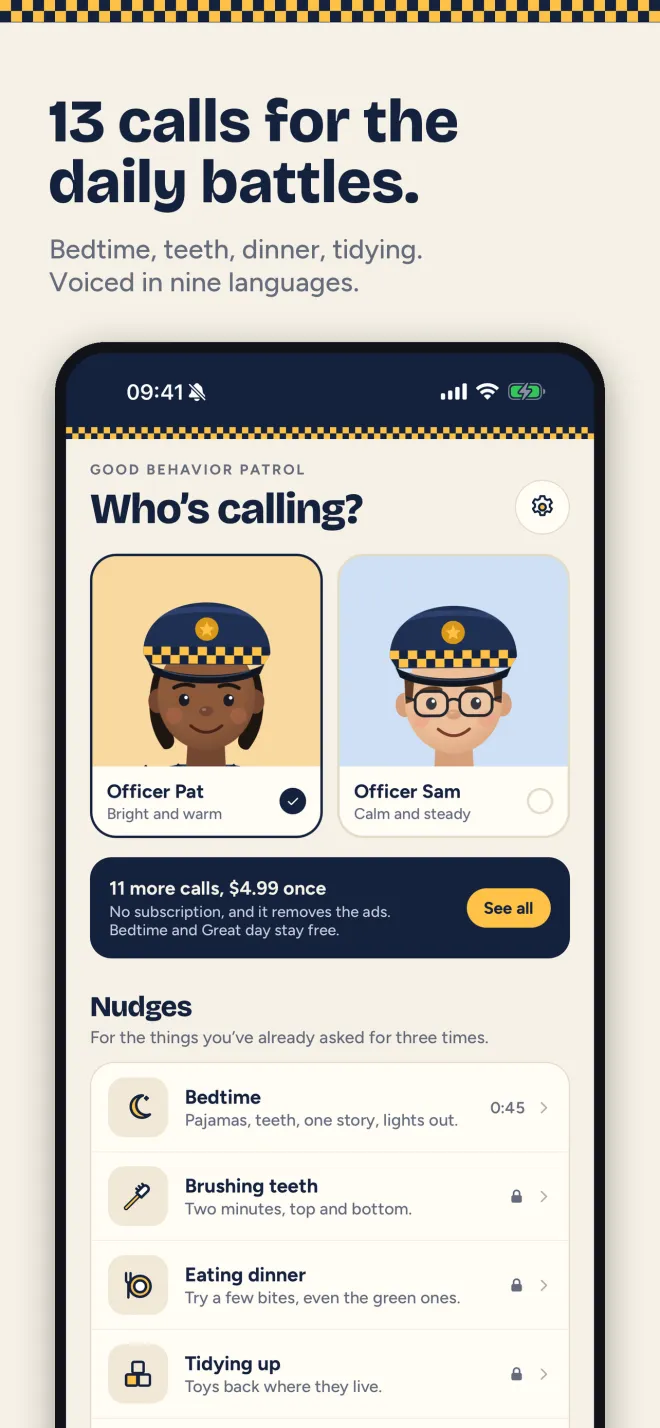
- Pick an officerChoose Officer Pat (bright and warm) or Officer Sam (calm and steady).
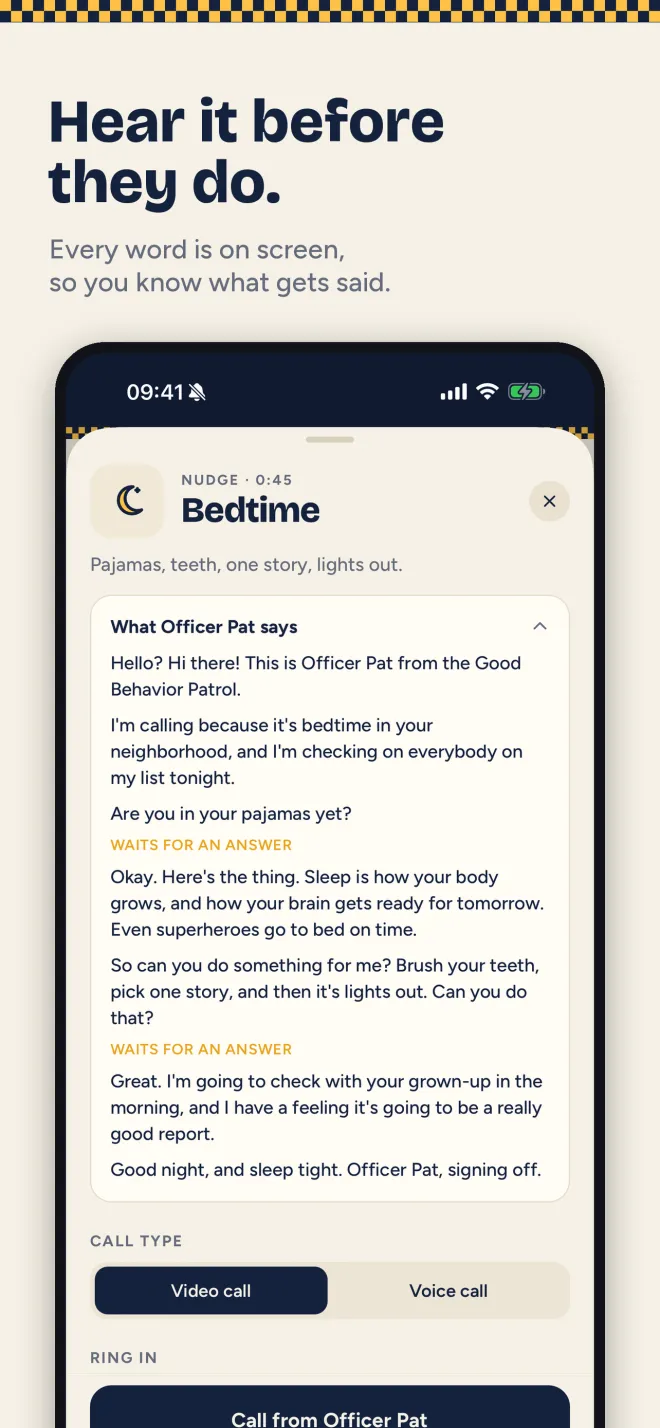
- Pick the callChoose the routine you need help with, such as Bedtime, Brushing teeth or Tidying up, or a praise call like Great day. Open it to read the whole script.
- Choose video or voice, and when it ringsRing now, or in 10 seconds, 30 seconds or a minute so you can hand the phone over first. The screen waits on a pretend lock screen until the call arrives.
- Hand over the phoneYour child answers and the officer talks, asking questions and leaving pauses for answers. If the call is declined, the officer can try once more.
- Close the loopThe officer promises to check in with you afterwards, so tell your child the officer was proud of them. To leave the call screen, press and hold the clock.
What it does
📞Looks like a real call
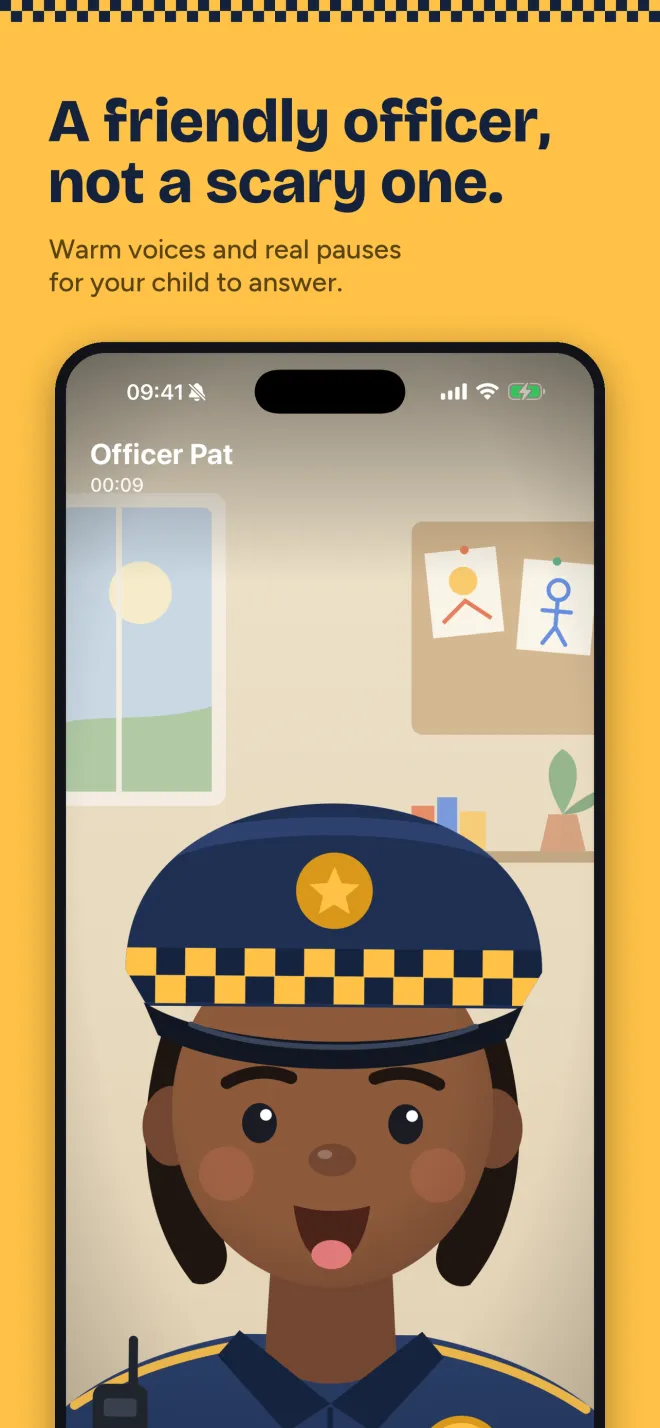
Ringing, an answer button, a call timer and an animated officer who talks on screen. Video call or voice call.
👮Two gentle officers
Officer Pat is bright and warm, Officer Sam is calm and steady. Both are made-up characters, not connected to any police force.
🌙13 everyday calls
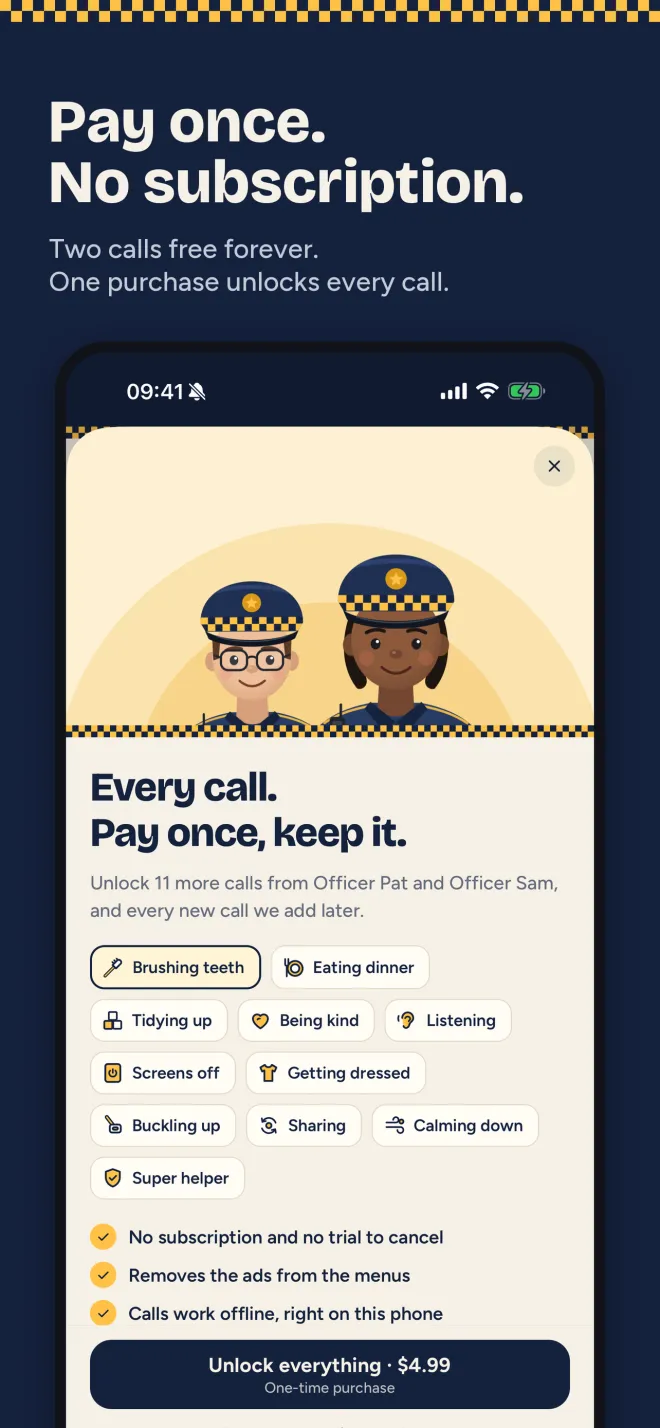
Bedtime, teeth, dinner, tidying, kindness to a sibling, listening, screens off, getting dressed, buckling up, sharing and calming down, plus two praise calls.
📝Read it before they hear it
Every word of every call is on screen before you ring, so there are no surprises.
⏱️Delayed ring and a locked screen
Ring in 10, 30 or 60 seconds. Little fingers tap, grown-ups hold: press and hold the clock to exit.
🗣️Nine voiced languages
English, Spanish, French, German, Italian, Portuguese, Hindi, Japanese and Chinese. Follows your iPhone's language or pick one in Settings.
Questions parents ask
Is there a fake police call app for kids that isn't scary?
Good Behavior Police Call is written to be gentle. There are no sirens, no threats and no talk of trouble. The officer explains why the job matters (sleep helps you grow, sugar bugs love skipped teeth), asks for one small thing and promises to check in with you afterwards. You can read every script before your child hears it.
How can a pretend call help with bedtime?
Some evenings the fourth "pajamas, please" doesn't land, but a call from someone new often does. The Bedtime call asks about pajamas, then teeth, one story and lights out, with pauses for your child to answer. Bedtime is one of the two calls that stay free forever.
Does the police call app actually call my phone?
No. It shows a pretend incoming call inside the app, with a ringtone and an answer button. No number is dialed, nobody else is involved and the app cannot contact anyone.
Can the officer call with good news too?
Yes. Nudges are only half of it. Two praise calls, Great day and Super helper, ring when things go right, so the officer is someone your child is happy to hear from, not only a warning.
How do I hand my child the phone before it rings?
Pick Ring in 10 seconds, 30 seconds or 1 minute before you tap Call. The screen dims to a pretend lock screen until the call arrives, so you have time to pass the phone over.
Is there a kids police call app in Spanish, Hindi or other languages?
Every call is fully voiced in English, Spanish, French, German, Italian, Portuguese, Hindi, Japanese and Chinese. The app follows your iPhone's language, or you can pick one in Settings.
Good Behavior Police Call vs other ways to do a pretend call
Generic prank-call apps fake a caller ID and leave the talking to you. Many free kids police call apps lean on stern warnings and show ads. This app is written around one routine at a time, in a friendly voice.
| Good Behavior Police Call | Typical free kids police call apps | Generic fake-call apps | |
|---|---|---|---|
| Calls written for a specific routine | ✓ 13 calls | Some | ✗ |
| Gentle tone, no sirens or threats | ✓ | Varies | ✗ |
| Praise calls for good days | ✓ | Varies | ✗ |
| Read the script before the call | ✓ | Varies | ✗ |
| Ads during the call | ✗ Never (only on menu screens in the free version) | Often | Often |
| Works offline | ✓ | Varies | Varies |
| Price | Free, US $4.99 once for every call | Free with ads | Free with ads |
Frequently asked questions
Is Good Behavior Police Call free?
Yes. The download is free, and the Bedtime and Great day calls are free forever. The free version shows a small ad on the menu screens, never during a call. One purchase (US $4.99) unlocks every call, removes the ads and includes any new calls added later. No subscription, no trial to cancel.
Will it scare my child?
It is written not to. The officers are gentle, there are no sirens or threats, and every word is on screen before you call, so you can read it first. Officer Pat and Officer Sam are made-up characters and are not connected to any police force.
Does it collect any data?
No accounts and no sign-up, and the developer collects no data. The calls live on your phone. Ads in the free version are non-personalized, and the app never asks to track you. The optional self-view on video calls is shown live and is never recorded or saved.
Why does it ask for the camera?
Only for the small self-view window during a video call, like a real video call. You can decline and calls work the same without it.
Does it work offline?
Yes. Every call, voice and picture is inside the app, so calls work without an internet connection. The app never places a real phone call.
Which languages does it speak?
Every call is fully voiced in English, Spanish, French, German, Italian, Portuguese, Hindi, Japanese and Chinese.
How does my child get out of the call?
They don't, by accident. To leave, press and hold the clock for about a second and a half. A tap does nothing, so a curious child cannot end it early.
There is no sound. What do I do?
Turn off the silent switch and turn the volume up. The call plays through the speaker.
Is there an Android version?
There is no Android version yet. Good Behavior Police Call is iPhone-only for now.
More on-device apps for chat exports and voice notes
Good Behavior Police Call plays a pretend call inside the app and never dials a real number. Officer Pat and Officer Sam are made-up characters and are not connected to any police force. The app is meant to be set up and started by a parent.