A location alarm that rings before you reach your stop
MileGlass sets an alarm by place instead of time. Search your destination on the map, enter how many kilometres or miles before it the alarm should ring, and tap Set Alarm. When you get that close, a notification goes off, so you can stop checking the map on a bus, a train or a drive through a new city. Free on iPhone.
 Google Play: Android version in progress
- Price
- Free
- Alarm
- One active location alarm at a time
- Distance
- Kilometres or miles before the destination
- Requires
- iPhone, location access (GPS)
Pick the place, pick the distance, set the alarm
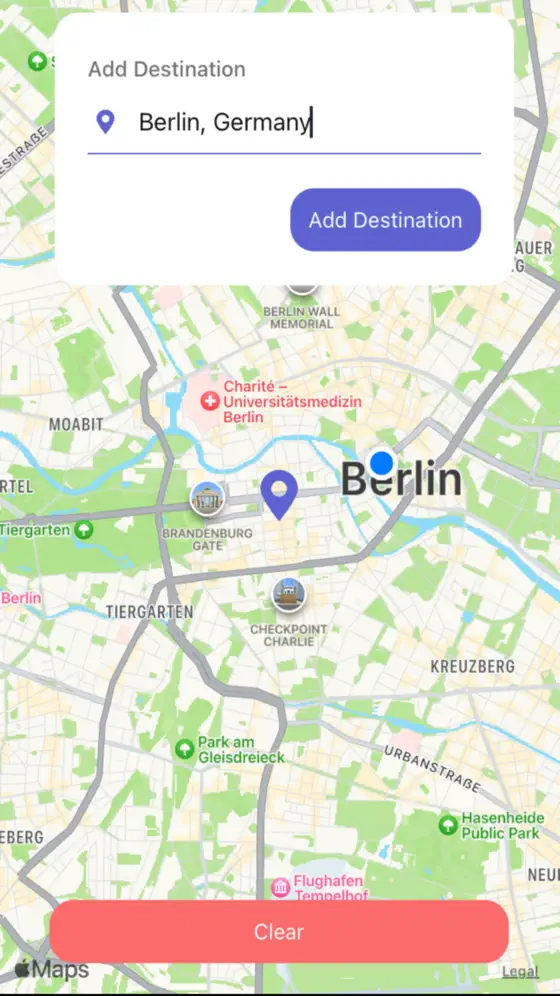
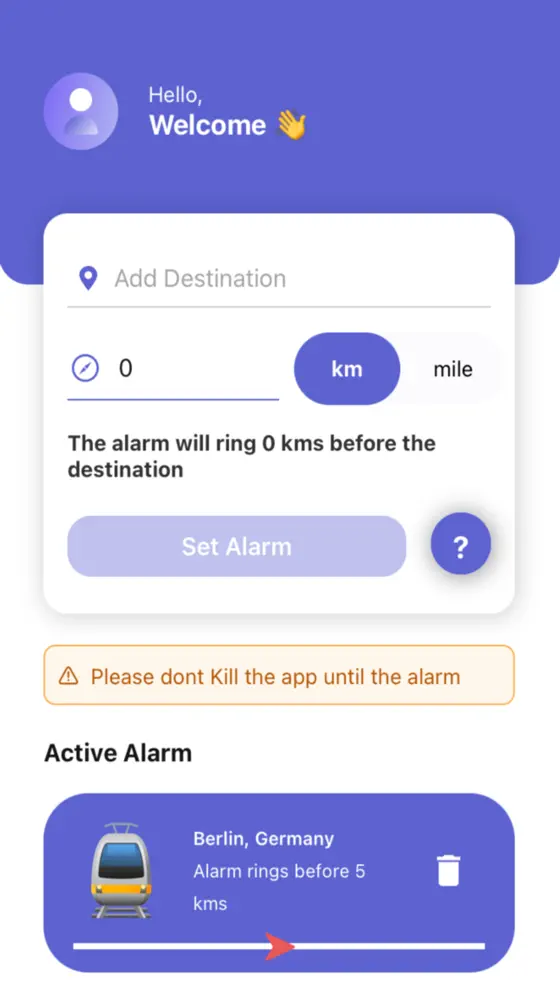
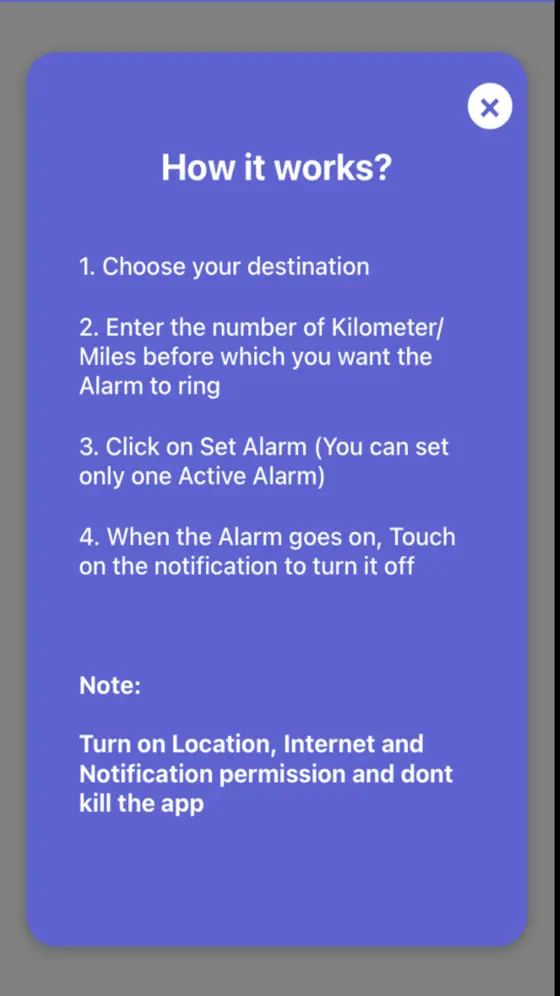
How to set a location alarm on iPhone with MileGlass
Four steps, and you can put the phone away.
- Choose your destinationSearch for the place on the map.
- Choose your distanceEnter how many kilometres or miles before the destination you want the alarm to ring.
- Set the alarmTap Set Alarm to activate it. One alarm is active at a time.
- Turn it offWhen the alarm goes off, touch the notification to turn it off.
What it does
📍Alarm by place, not time
Rings when you are a set distance from where you are going, however late the bus is.
📏Kilometres or miles
Choose the distance before the destination in the unit you think in.
🛰️Uses your phone's GPS
Location tracking comes from the device's own location services.
🔔One tap to stop
Touch the notification to turn the alarm off.
Questions this app answers
How do I get an alarm when I am close to my stop?
Set a location alarm instead of a time alarm. In MileGlass you pick the stop on the map and the distance before it, and the alarm rings when you get that close.
Can I nap on the train without missing my station?
That is the use case MileGlass was built for: set the alarm a comfortable distance before the station so you have time to wake up and get ready. Keep location access enabled for the app and the phone charged.
MileGlass vs a normal time alarm
A time alarm guesses when you will arrive. A location alarm knows.
| MileGlass | Time alarm | |
|---|---|---|
| Rings based on where you are | ✓ | ✗ |
| Works when the bus or train is late | ✓ | ✗ |
| Needs location access | Yes | No |
| Price | Free | Free |
Frequently asked questions
Is MileGlass free?
Yes, it is free on the App Store.
Can I set more than one alarm?
One alarm is active at a time, which keeps it simple: set it for the stop you are heading to now.
Does it need location access?
Yes. A location alarm has to know where you are, so MileGlass uses your iPhone's location services (GPS).
Is there an Android version?
Not on Google Play yet. This page will link to it when it is published.
More on-device apps for chat exports and voice notes
MileGlass depends on your device's location services and notifications being enabled. GPS accuracy varies with signal; set the alarm distance with some margin and do not rely on it as your only safeguard.